

Business process automation vs RPA: choose the right scope
How process orchestration, API connections and interface automation fit together, illustrated with the same business handoff.
Qonnex Editorial · Business operations and AI consulting

Business process automation (BPA) concerns the business workflow, including its sequence, rules and handoffs. Robotic process automation (RPA) is a technique for automating software tasks, often through application interfaces. RPA can be part of BPA. Choose the process scope first, then decide which tasks need APIs, interface automation or a person.
Compare business process automation vs RPA by responsibility
A workflow that receives a service request, checks required fields, assigns an owner and records completion needs more than data entry. It needs an agreed definition of what has arrived, what can happen next and when a case is unresolved. BPA describes that wider automation effort. RPA may perform one of its application tasks.IBM's business process automation overview places RPA within the broader BPA umbrella and distinguishes both from the ongoing management discipline of business process management. Terminology varies between suppliers. Ask what their proposed system actually owns rather than treating the label as a complete architecture.
A supplier may sell a suite containing forms, approvals, APIs, desktop automation and AI. Calling it an RPA platform does not mean all its capabilities depend on screen clicks. Calling another product BPA does not prove that it can handle your particular exceptions. Compare the demonstrated workflow and its operating requirements.
| Question | BPA planning responsibility | Where RPA may contribute |
|---|---|---|
| What starts and completes the work? | Define the case and business outcome | Execute a task assigned to the bot |
| Who is allowed to decide? | Route work to authorized people or rules | Enter an already authorized result |
| How do applications exchange data? | Choose supported connections for each handoff | Use an interface when that is the selected route |
| What happens after a failure? | Own case state, escalation and recovery | Report task status and evidence |
For a broader set of reader jobs, our workflow automation examples compare triggers, owners and exceptions. This article focuses on the implementation choice inside one workflow, rather than suggesting a particular product or replacing a process-design exercise.
Separate the API route from the interface route
An API lets software request a supported operation from another system. An interface-based task interacts with the application's controls, such as fields and buttons. IBM's API automation explanation makes this distinction while noting that RPA tools can also use APIs. The techniques can coexist.API access is not the same as permission to perform every operation. Verify that the available endpoint supports the required fields and action, that the organization can use it, and that its response provides useful evidence. Rate limits, authentication, version changes and ambiguous responses still need handling.
For an interface task, verify the supported application, controls and execution environment. Microsoft's desktop flows introduction describes interactions using UI elements, images or coordinates. That is a product-specific example, not a claim that every RPA tool supports the same environments or actions.
An interface change can affect a bot that depends on those controls. An API change can affect an integration that depends on its contract. Neither route eliminates maintenance. Ask the operator to show how they detect a change, stop an unsafe run and check the result. A demo that only shows the initial setup leaves those operating questions unanswered.
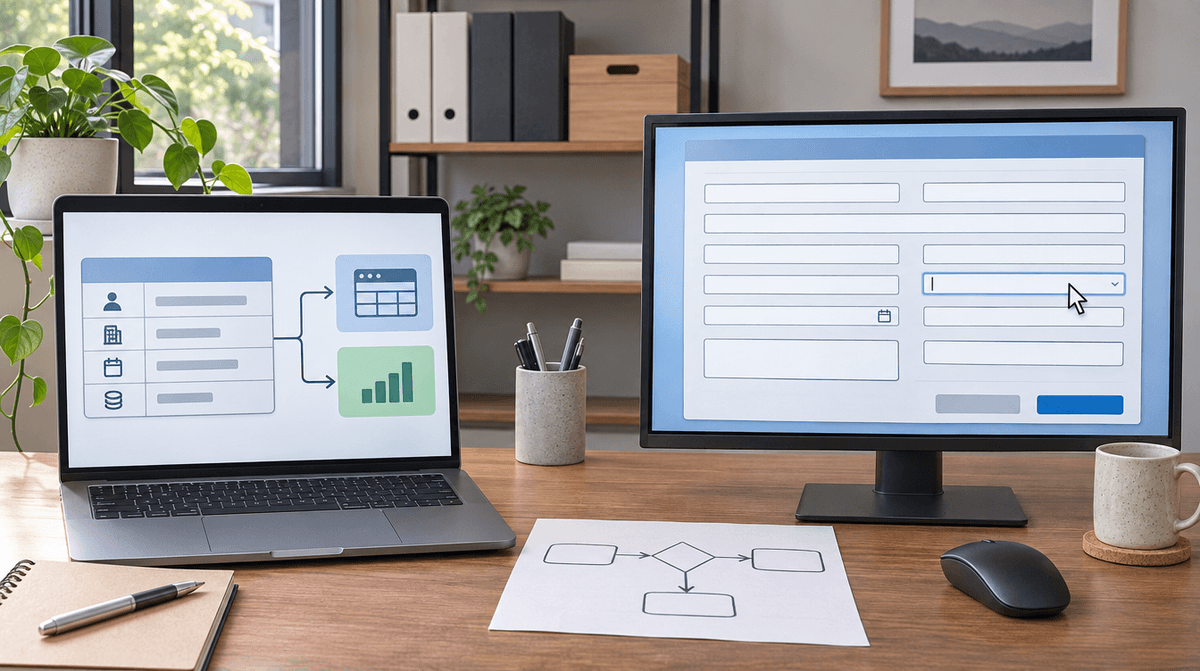
Implement the same handoff three ways
Consider an illustrative service team that must create an approved service request in a scheduling application. Intake, required-field checks and owner approval happen before the handoff. The destination must return a request reference. This is a fictional design exercise, not an actual Qonnex integration or a recommended customer policy.API route: the workflow sends the approved fields to a supported create-request operation, stores the returned destination ID and checks the resulting record. Missing data returns to its intake owner. An uncertain write remains unresolved until the receiving system is checked. A successful HTTP response alone is not a substitute for the agreed business acceptance check.
Interface route: an assigned RPA task opens the supported application, enters the approved fields and submits the form. It captures the destination reference and reports it to the workflow. If the form changes or validation blocks the task, it stops and routes the case to review. Repeatedly clicking Submit without reconciling the first attempt is not a recovery plan.
Hybrid route: APIs handle supported steps while an interface task fills a verified gap. The surrounding workflow retains the case reference, human decision and final status. IBM's RPA integration patterns provide product-specific examples of bots participating in a larger workflow. Do not infer that those exact integrations exist in a different tool or environment.
All three designs need a receiving owner for exceptions and a way to distinguish queued, running, completed and unresolved work. Compare them with the same case set. Otherwise, the interface route might appear more successful simply because the API test included harder inputs or more verification.
| Decision worksheet | Evidence to request | Consequence for the choice |
|---|---|---|
| Is the required operation exposed and permitted through an API? | Endpoint scope, field support and test result | Consider an API route when it meets the handoff need |
| Can a supported interface task perform the missing operation? | Representative form, controls and execution conditions | Assess RPA for that specific gap |
| Are both routes necessary? | A step-by-step responsibility map | Keep one case owner across the hybrid workflow |
| Can completion be verified? | Destination reference and resulting record | Leave ambiguous outcomes unresolved |
| Who maintains the connection? | Named operator, access owner and change procedure | Include operation in the proposal, not only construction |
Put maintenance and human decisions in the comparison
Ask for the work required after the first successful run: monitoring, expired access, failed records, application updates, reconciliation and changes to business rules. Compare these responsibilities for the specific environment. Do not assume that a bot is always cheaper to build or that an API is always available and easier to maintain.Keep approval authority separate from the task runner. A bot may enter an approved request, but that does not authorize it to approve a request. Similarly, giving a workflow a supported connector does not make every field appropriate to transfer. Have system and process owners validate the access and data needed for the selected boundary.
AI is another capability to evaluate, not a requirement for BPA or a replacement for recovery. It may help interpret unstructured input, but the workflow still needs a way to validate that output and route uncertainty. Use the IDP vs OCR comparison when the underlying need is document text or fields, rather than assuming a desktop bot solves extraction quality.

Write down a maintenance scenario during evaluation. For the scheduling example, change a required field in a test form or alter a test API response. Ask the team to demonstrate detection, pause, diagnosis and resumption. Keep credentials and private production records out of the demonstration artifacts. A useful result shows both the task failure and the status of the business case.
Choose by the evidence from one representative workflow
Use a bounded test containing a complete request, a missing field, a duplicate event, insufficient permission and a timeout after submission. Specify the expected destination record and the state of the case after each attempt. Include a person completing the manual fallback while the automation is paused, then check that resumption does not repeat the completed action.Record handling time, waiting time and unresolved cases using the same definitions for each route. A fast task can sit inside a slow process. A green run status can coexist with a wrong destination record. Neither a software label nor a short demo establishes the business outcome.
Start with the automation pilot scoping guide if the workflow is not yet bounded. Bring the filled decision worksheet to a discussion about operational efficiency with Qonnex. The next useful decision is which handoff and acceptance cases to investigate, with responsibility and constraints agreed before selecting the automation technique.