

Design a Purchase Requisition Workflow Before a PO Exists
Use a two-department example to define who approves which request lines, how corrections return and what evidence permits the handoff to purchasing.
Qonnex Editorial · Business operations and AI consulting

A purchase requisition workflow moves an internal request through completeness checks, required reviews and authorization before purchasing creates an order. A useful design says who approves the whole request, who approves individual lines, what happens when information changes and which approved version is handed over. An email saying “approved” is weak evidence if it cannot be connected to the exact request and its current contents.
Start with a small request form and a routing worksheet. Test them with the people who own the decisions, including the person who handles a returned request. Automating an unclear approval path simply moves the ambiguity into a faster queue.
This guide uses an explicitly fictional request involving two departments. It proposes no actual company policy, spending limit or approved procurement rule. Your procurement, finance and relevant business owners must validate the fields, authority and application behavior before implementation. The later supplier-facing stage belongs in the purchase order automation guide.
1. Define the request before drawing its approval path
A purchase requisition asks for internal authorization to buy. A purchase order communicates the resulting order to a supplier. Microsoft's requisition overview makes this distinction and describes document and line statuses that can differ. Do not use “submitted,” “approved” and “ordered” interchangeably in the form or dashboard.
For a bounded first workflow, choose an ordinary consumption purchase with a stable owner. Identify who can prepare a request, who is requesting the goods and who will receive them. These can be different people. Record the purpose in plain language so a reviewer can judge the need without asking the preparer to resend it in a separate message.
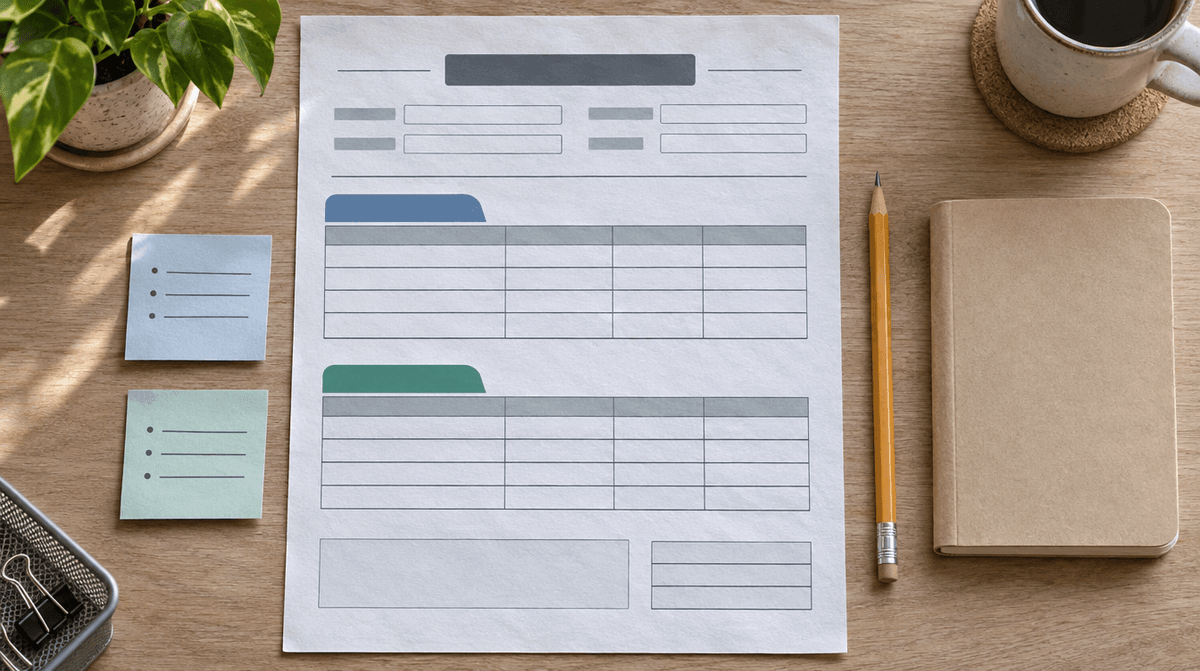
Use the following blank field contract as a starting worksheet. “Required” means a decision for your policy owner, not a universal procurement mandate. A category-specific requirement may apply only to certain requests.
| Field group | Blank form prompts | Validation question |
|---|---|---|
| Request identity | Request ID, version, requester, preparer | Can a decision be tied to one exact version? |
| Business need | Purpose, needed-by date, delivery location | Is the need understandable and the destination usable? |
| Line detail | Description, quantity, unit, estimated amount and currency | Can each requested item be reviewed without guessing units? |
| Ownership | Department or cost center for each line, responsible reviewer | Does the coding identify the actual decision owner? |
| Supporting evidence | Relevant quotation or specification, if required | Can reviewers access the applicable evidence? |
| Decision record | Reviewer, decision, time, reason and rule version | Is the authorized route reconstructable later? |
For the fictional example PR-EX-206, line 1 requests twelve headsets for the support cost center. Line 2 requests eight monitor arms for engineering. Both need a destination and a required date. Estimated amounts and currency must be supplied before any amount-based rule is evaluated. This example sets no spending threshold or market price.
Keep supplier suggestions separate from supplier approval. A requester may nominate a supplier without having authority to select one or place an order. Make that distinction explicit rather than letting a populated supplier field silently bypass the purchasing step.
2. Choose document and line approval deliberately
Document-level approval considers the request as a whole. Line-level approval assigns decisions to individual items. A process can combine them, but the completion condition must be clear: which lines and document reviews must finish before the request may move to purchasing?
Microsoft's requisition workflow documentation describes document and line review options in Dynamics 365. Use it to understand the distinction, then verify the configuration your own application supports. A diagram containing two approvers does not prove that both will receive the correct work item.
An important product-specific example comes from SAP KBA 3647061. In the documented S/4HANA Cloud Public Edition scenario, distributing a single requisition item across multiple cost centers does not automatically create separate workflow instances for their approvers. Separate requisition items are the documented route for the described need. This is a reason to test the actual model, rather than assume accounting allocations and approval routing are identical.
Our fictional request therefore uses two separate lines, each with its own cost center. The worksheet below expresses a desired business route, not verified settings for any ERP.
| Scope | Fictional reviewer role | What the reviewer decides | Completion evidence |
|---|---|---|---|
| Whole request | Request coordinator | Required information is complete and lines have owners | Completeness check recorded for the current version |
| Line 1: support headsets | Authorized support reviewer | Need and line ownership within their assigned authority | Line 1 decision with the applicable request version |
| Line 2: engineering monitor arms | Authorized engineering reviewer | Need and line ownership within their assigned authority | Line 2 decision with the applicable request version |
| Additional conditional review | Role specified by the policy owner | Any category or amount condition that actually applies | Required condition and authorized decision recorded |
| Handoff to purchasing | Purchasing owner | All required decisions are complete and current | Approved version and eligible line list accepted |
Do not replace the conditional row with a convenient monetary amount. The policy owner must specify currency treatment, amount basis, category conditions, required sequence and the authority of each role. If no approved rule exists, capture that as an unresolved design decision.
Also decide whether rejected or withdrawn lines prevent the remaining lines from proceeding. Different applications and business policies handle partial requests differently. Make the permitted result explicit in the acceptance tests, including what a requester sees and whether a new version is needed.
3. Design returns and absent-approver handling
A completeness return, a request for clarification and a rejection are different outcomes. Label them so a preparer can understand what to do next. “Rejected” should not be used as a generic status for a missing delivery location if the organization intends the same request to be corrected and resubmitted.
For a missing cost center on line 2, the coordinator returns the request with the specific line and missing field. The preparer supplies the coding. The workflow validates it and re-evaluates the route. Sending the corrected request straight to the previously selected person may be wrong if the corrected cost center changes the owner.
For an absent approver, establish a fallback that preserves authority. Possible designs include an approved delegate or an escalation to the role responsible for assigning one. A reminder after an agreed interval can expose the delay, but elapsed time alone should not grant approval rights or turn silence into consent.
Microsoft's workflow delegation instructions describe individual and configured time-bound delegation in its environment. Confirm the equivalent capability and permissions in your system. Record who delegated, who received the work, the scope and applicable period, rather than merely forwarding a notification to a colleague.
Give every returned or escalated item an owner and a next action. The requester needs to know whether to edit, provide evidence or wait for a decision. The coordinator needs a queue that distinguishes missing information from unavailable reviewers. This distinction makes the eventual automation pilot easier to measure and support.
4. Re-evaluate changes before the purchasing handoff
An approval belongs to a set of values and a version. If the amount, quantity, category, cost center or supporting specification changes, the workflow needs a defined response. The policy owner decides which changes invalidate which decisions. This guide does not authorize a universal “small change” tolerance.
In PR-EX-206, suppose the preparer increases the monitor-arm quantity after the engineering reviewer has approved line 2. Retain the original values and decision, create or record the changed version, and determine whether the engineering decision and any conditional review must be repeated. Do not display the old approval as evidence for the changed quantity without an applicable, validated rule.

Be precise about application operations. Microsoft's requisition workflow documentation distinguishes requesting a change from recalling a request. Its described process for adding a line after a change request includes recalling the whole requisition before editing it. That product behavior is not a universal instruction for every tool. Test what recall, withdrawal, edit and resubmit actually do to existing work items in your application.
The handoff to purchasing should include the approved request version, eligible lines, owners, relevant evidence and required decision history. Purchasing should be able to identify which line was already converted into an order. A resubmitted notification should not, on its own, create another PO.
Keep later controls separate. A requisition approval establishes the internal authorization defined by the organization. It does not show that the supplier accepted an order, that goods arrived or that an invoice can be paid. Those stages need their own evidence, including invoice approval where applicable.
5. Run the routing tests with the real owners
Before implementation, ask the named process owners to work through the form and expected decisions. Then exercise the same cases in a safe test environment. The business worksheet and the application result should agree. A workflow is not ready merely because all connectors authenticate successfully.
| Test input | Expected design result | Proof to inspect |
|---|---|---|
| Two complete lines with different cost centers | Each line reaches its authorized reviewer. Required document review also completes | Line work items, owners and final completion condition |
| Line 2 has no cost center | Return for correction before evaluating its approval route | Specific return reason and re-evaluated route after correction |
| Engineering reviewer is absent | Use only an authorized delegate or defined escalation | Delegation scope, recipient and decision history |
| Quantity or amount changes after approval | Apply the validated reapproval rule to the changed version | Before-and-after values and affected decisions |
| Same submission notification arrives twice | Recognize the same request/version without duplicate handoff | Stable request reference and one eligible handoff |
| One required line remains unresolved | Follow the explicitly agreed partial-request policy | Visible remaining work and the permitted purchasing outcome |
Document a test result, owner and unresolved question for every row. If the configured workflow routes a line differently from the worksheet, resolve the rule or configuration before release. Do not edit the expected result just to make the test pass without the owner's decision.
For a practical baseline, separate time spent preparing or correcting requests from time waiting for reviewers. Track missing fields, returns, reassignment and unresolved lines by request type. These observations can show where the form or route needs work. They do not establish savings or justify a particular approval limit.
The finished design pack should contain the form, the document-and-line routing matrix, the change rules, the authorized fallback and the completed tests. Qonnex's operational efficiency work can help structure that discussion with your owners and systems team before the workflow is expanded.